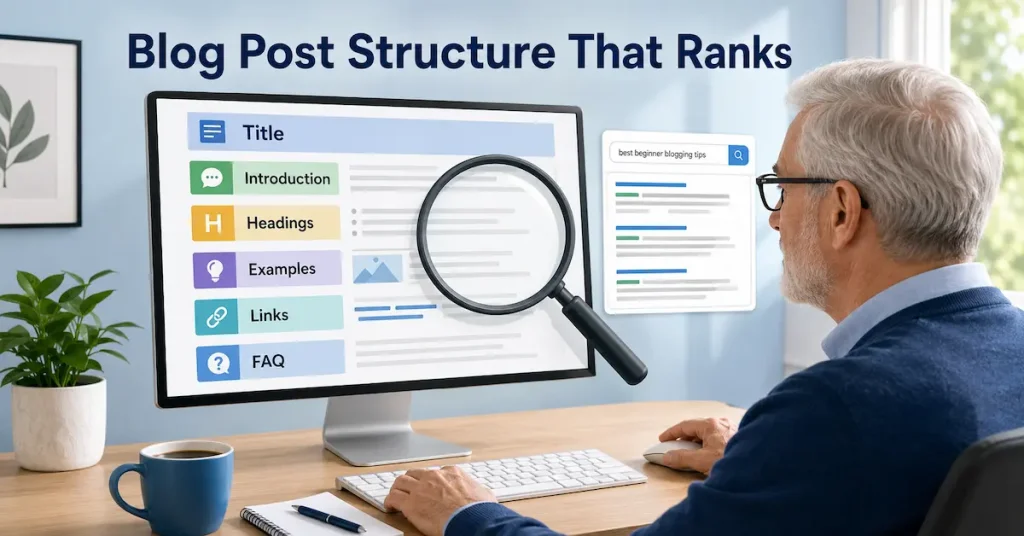

Blog Post Structure That Ranks: A Simple SEO Guide for Beginners
Writing a blog post is easy. Writing one that is useful, easy to read and capable of attracting search traffic takes more planning.
A strong blog post structure helps readers understand your content and gives search engines clearer context about the main topic and its supporting sections.
There is no “perfect” formula that guarantees rankings. Structure cannot replace useful information, genuine experience or a topic people are searching for.
It simply makes a good article easier to read and navigate.
Learning how to structure a blog post gives you a repeatable way to organise your ideas, improve readability and support your SEO goals.
This guide explains a practical blog post structure you can use for tutorials, beginner guides, checklists, comparisons and other informational posts.
Affiliate disclosure: This article may contain affiliate links. If you purchase through one of these links, I may earn a commission at no additional cost to you. I only recommend resources that I believe may be useful for beginners.
What Is Blog Post Structure?
Blog post structure is the way an article is organised from beginning to end.
It includes the title, introduction, headings, paragraphs, examples, images, links, calls to action and conclusion. Each part should guide the reader naturally to the next one.
- Think of it as a simple path.
- The title tells readers what they will learn.
- The introduction confirms they are in the right place.
- The main sections answer their questions.
- The conclusion helps them decide what to do next.
Without that path, even helpful information can feel confusing.
Why Blog Post Structure Matters for SEO
A well-structured article is not a shortcut to the top of Google. It supports SEO by improving the experience of using the page. The guide on how blog SEO helps posts get traffic explains how structure works with keywords and internal links.
Google’s SEO Starter Guide recommends organising longer content into clear paragraphs and sections, with helpful headings that make the page easier for readers to navigate.
Clear headings help readers scan for information.
Short paragraphs make the page less tiring to read.
Relevant internal links help visitors explore related topics, while a focused conclusion gives them an appropriate next step.
Structure also keeps you on topic. You can organise the post around the searcher’s main question instead of adding every fact you know.
Start With Search Intent
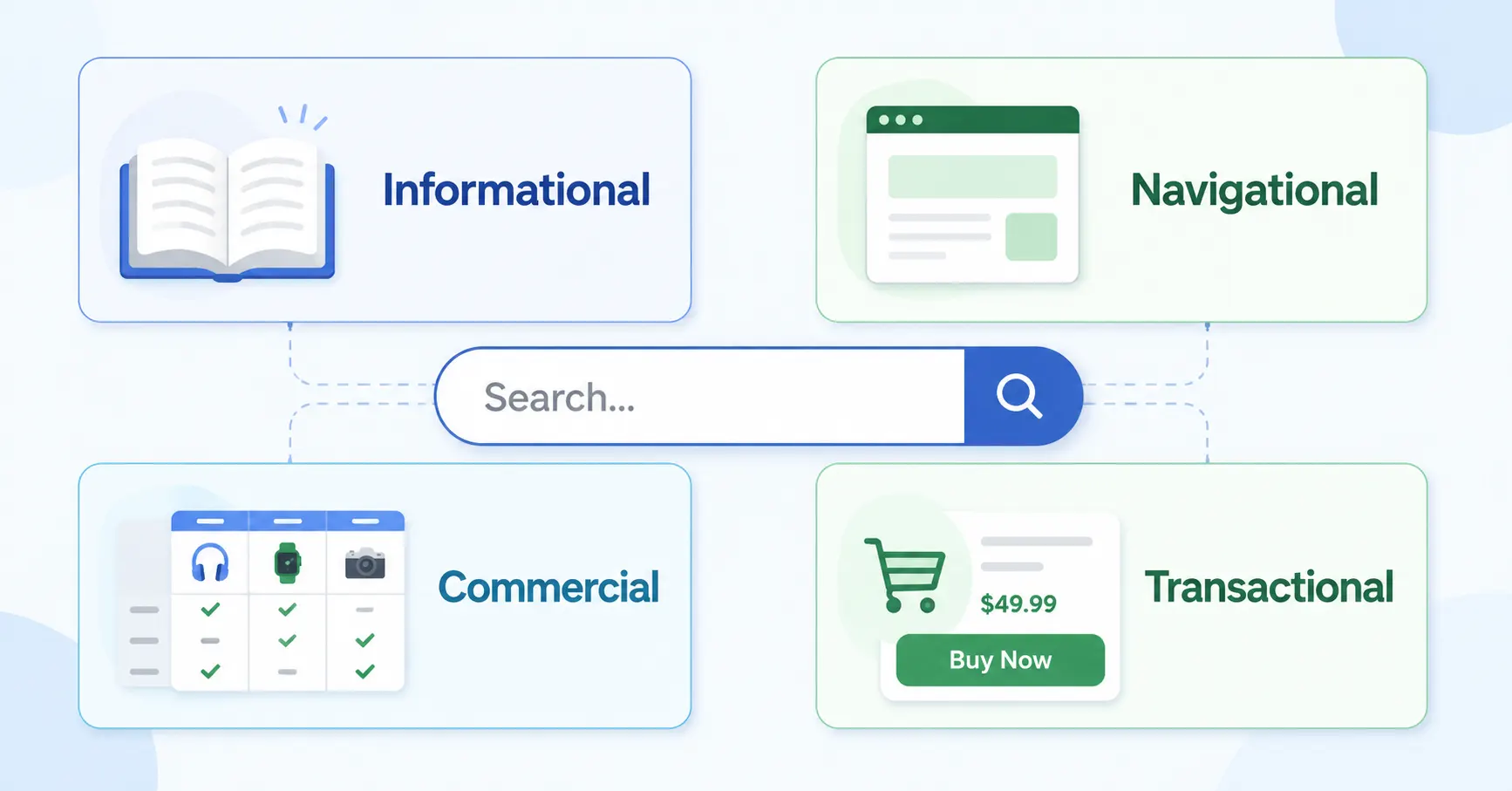
Before creating your outline, ask what the person searching for the keyword is trying to achieve. The SEO for beginners guide explains the main types of search intent and how they affect a page.
Someone searching for “blog post structure” probably wants a practical layout, an example or a template. They are unlikely to be looking for a long history of blogging.
Search intent is commonly described as informational, navigational, commercial or transactional. This article targets informational intent, so it should teach the reader how to structure a post and provide a repeatable process.
Once the intent is clear, every section should help fulfil it.
A Simple Blog Post Structure That Ranks
The following SEO blog post structure provides a practical starting point for beginner-friendly guides, tutorials and informational articles.
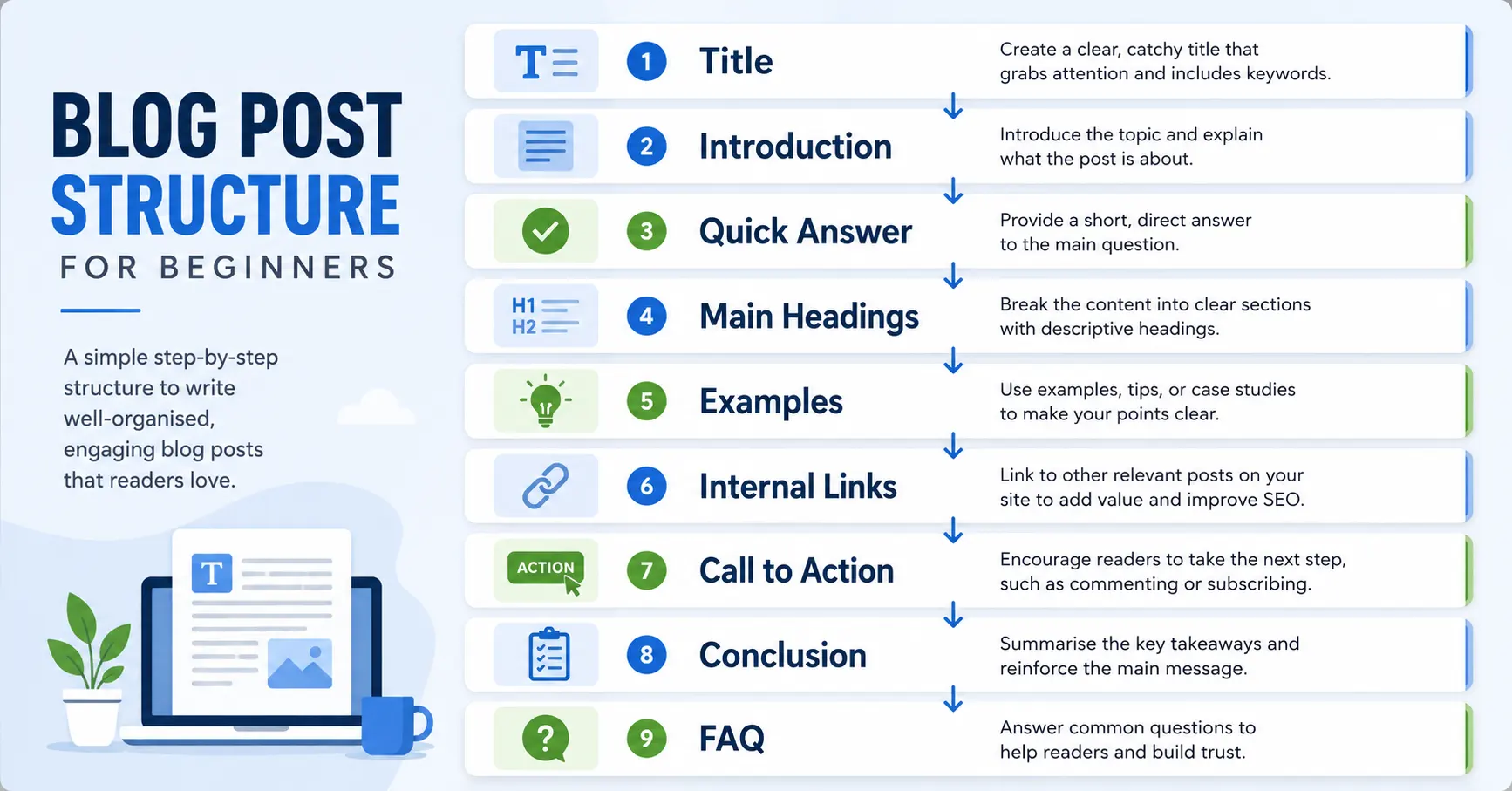
1. Write a Clear SEO Title and H1
Your title should accurately explain the subject and give readers a reason to click. Include the focus keyword naturally, preferably near the beginning, then add a useful benefit, format or audience.
For example:
Blog Post Structure That Ranks: A Simple SEO Guide for Beginners
Avoid titles that promise guaranteed rankings. Search performance depends on competition, website authority, content quality and how well the article matches the query.
Your page should normally have one main H1 heading. Use H2 headings for major sections and H3 headings for supporting points within those sections.
You can use this blog post structure template whenever you need a simple outline for a new informational article.
A clear blog post outline helps you organise the main sections before writing, reducing repetition and making it easier to cover the topic in a logical order.
2. Open With a Focused Introduction
A good introduction does not need to be long. It needs to show readers that the article understands their problem.
A simple introduction should describe the problem, explain why it matters and preview what the reader will learn.
Try to mention the focus keyword naturally within the opening section, but do not force it into every sentence.
Using a consistent blog post format also helps readers recognise where the main explanation begins and what they can expect from the rest of the article.
Avoid starting with a long personal story unless it directly helps the reader understand the topic. Most search visitors want confirmation that they have found the right page.
3. Give the Reader an Early Answer
When possible, provide a direct answer near the beginning.
For this topic, the early answer could be a short summary of the recommended structure:
Title → introduction → quick answer → organised sections → examples → links → CTA → conclusion → FAQ
This helps readers who want a fast answer while encouraging those who need more detail to continue.
An early answer can also make the article easier to summarise, although no search appearance is guaranteed.
4. Use Headings to Build a Logical Flow
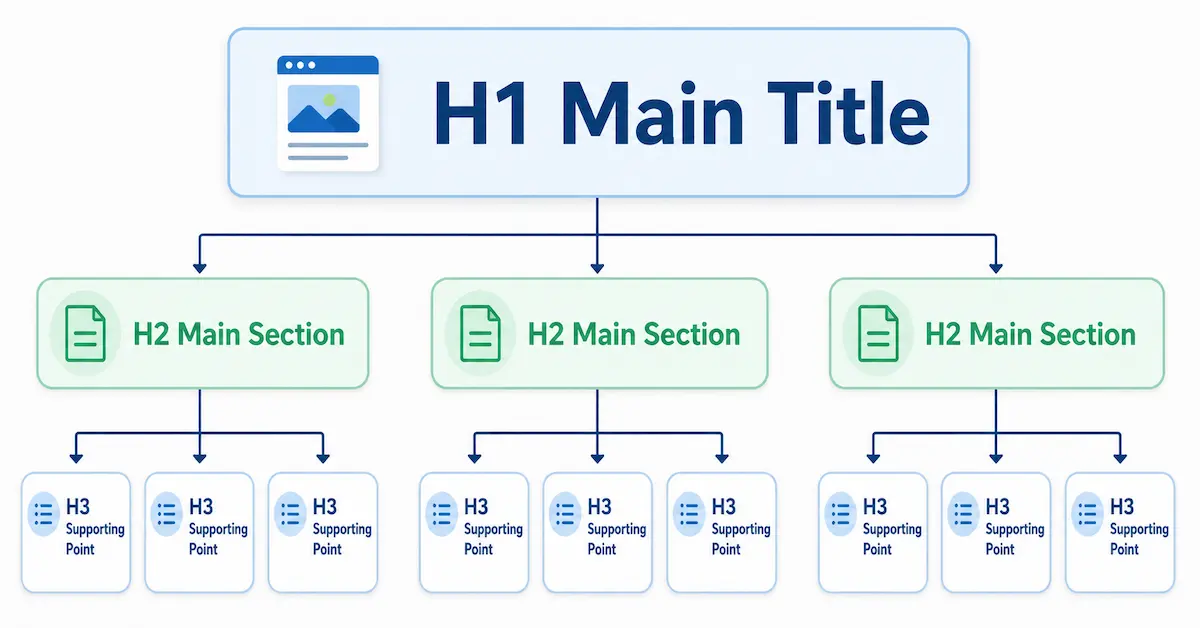
Headings should describe what each section contains. A reader should be able to scan the headings and understand the article’s journey.
Arrange sections in the order a beginner would need them. Start with the basic idea, move into the process and finish with practical action.
For example:
- What blog post structure means
- Why it matters
- How to plan the article
- The recommended structure
- Common mistakes
- A final checklist
- Frequently asked questions
Avoid vague headings such as “More Information” or “Other Things to Know.” Descriptive headings are more useful to readers and make the post easier to edit later.
When learning how to structure a blog post for SEO, focus on creating a logical heading hierarchy rather than placing keywords in every heading.
5. Build Each Section Around One Main Point
Every section should have a clear job.
Begin with the main point, explain it in plain language and then support it with an example, instruction or warning. When the section starts drifting into a different topic, create another heading or remove the unnecessary material.
Keep paragraphs relatively short, especially for mobile readers. Mix paragraphs with occasional lists, examples or highlighted summaries. This creates visual variety without turning the entire article into bullet points.
Do not add words simply to reach a target length. The article should be long enough to answer the searcher’s question properly and no longer than necessary.
6. Add Examples, Images and Useful Details
Advice becomes more helpful when readers can see how to apply it. You could include:
- A sample post outline
- A before-and-after introduction
- A heading hierarchy diagram
- A blog post checklist
- A screenshot or illustration showing internal links
- A completed article layout
Images should support the nearby section rather than act as decoration. Use descriptive file names and alt text that explains the image accurately. Do not stuff keywords into every alt description.
This checklist can also help when deciding how to organise a blog post before you begin writing.
7. Add Relevant Internal Links
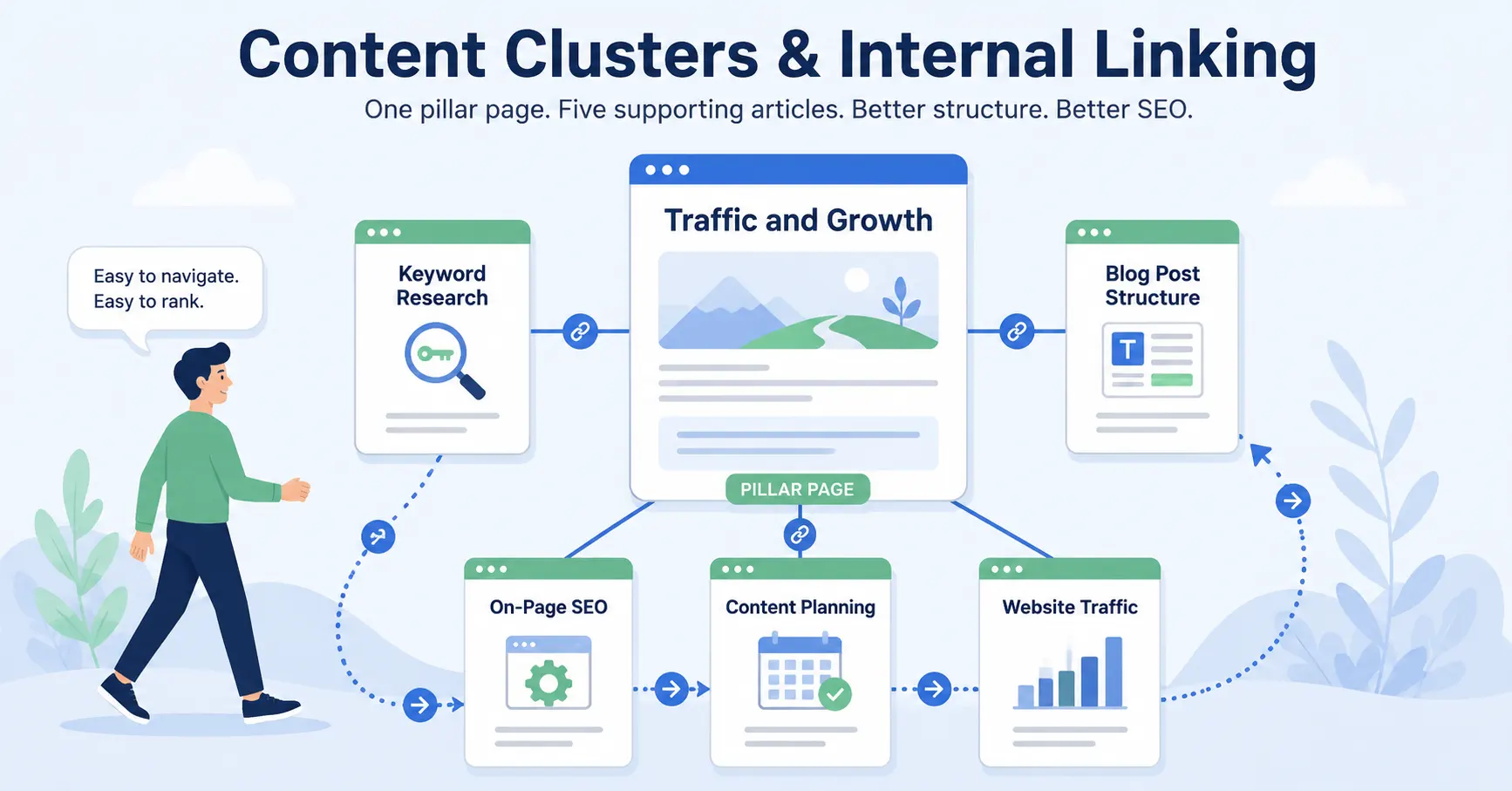
Internal links connect the article to other useful pages on your website. A content marketing strategy helps plan those relationships before the articles are published.
For example, a post about structure can link to articles about keyword research, search intent, on-page SEO, content planning and website traffic. The anchor text should tell readers what they will find after clicking.
This supporting post should also connect back to the main Traffic and Growth pillar. That gives readers a broader path for learning how content, SEO and promotion work together.
Add links where they genuinely help. A paragraph filled with unnecessary links can distract readers from the main point.
The complete guide to internal linking for SEO explains how to choose relevant destinations, use descriptive anchor text and connect new articles with older content.
8. Include a Relevant Call to Action
The call to action should match the reader’s stage.
In an informational article, a hard sales pitch can feel abrupt. A softer CTA may invite the reader to view a checklist, read the next guide, join an email list or explore structured training.
Place the main CTA after delivering useful information. The goal is not to pressure every visitor, but to give interested readers a sensible next step.
9. Finish With a Useful Conclusion
A strong blog post conclusion should summarise and reinforce the main lesson and give the reader one relevant next step.
Remind readers that strong blog post structure starts with search intent and follows a logical path. Then suggest one immediate action, such as outlining their next article before writing the introduction.
A clear conclusion makes the post feel complete and prepares the reader for the CTA or related resource that follows.
Blog Post Structure Example
Here is a reusable outline for a beginner guide:
H1: Main title containing the focus keyword
Introduction
- Identify the reader’s problem
- Explain the benefit of solving it
- Preview the guide
H2: What the topic means
H2: Why the topic matters
H2: Step-by-step process
- H3 for each major step
H2: Practical example or template
H2: Common mistakes
H2: Final checklist
H2: Final thoughts
CTA
H2: Frequently asked questions
You do not need to use this exact order for every article. A comparison post, product review or opinion piece may need a different layout. The structure should fit the reader’s purpose.For the complete creation process, continue with how to write blog posts that get traffic.
Common Blog Post Structure Mistakes
Writing the introduction before deciding what the article must cover can lead to a vague opening and repeated ideas. Another mistake is using headings only to insert keywords.
Headings should help readers understand the content.
Other mistakes include:
- Long paragraphs with no visual breaks
- Several sections answering the same question
- Important information hidden near the end
- Unrelated tangents added to increase word count
- No internal links to supporting resources
- A sales CTA that appears before the article provides value
- A conclusion that introduces a completely new topic
A simple outline prevents many of these problems.
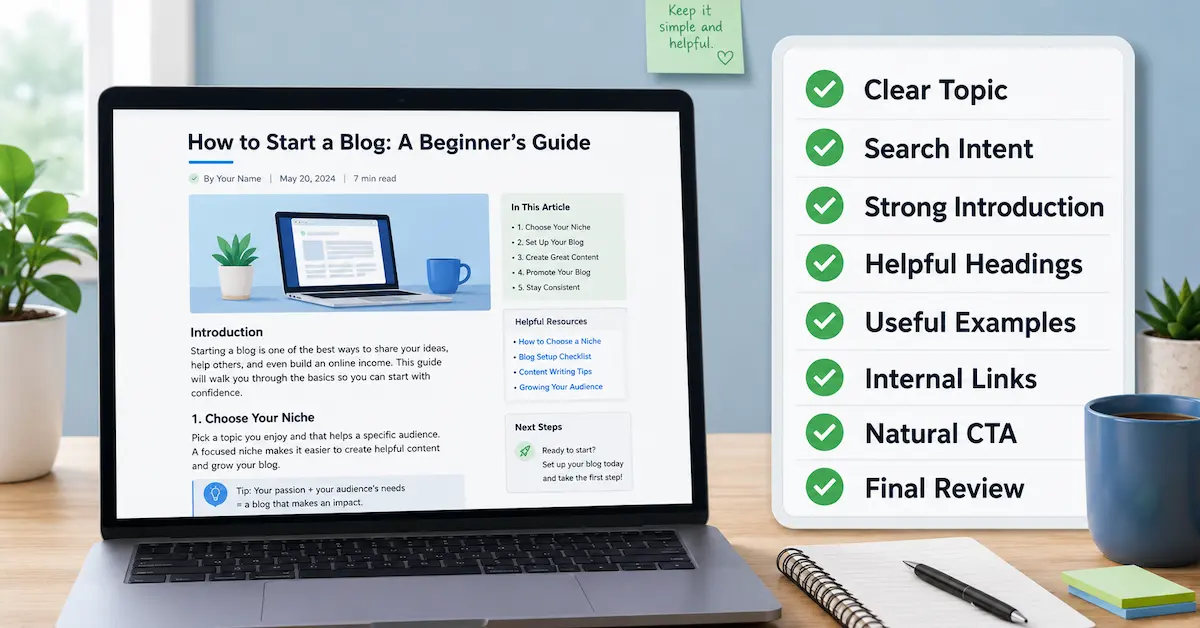
Your Blog Post Structure Checklist
Before publishing, check that your article has:
- One clear main topic
- A title that matches search intent
- A focused introduction
- A direct early answer
- Logical H2 and H3 headings
- Short, readable paragraphs
- Helpful examples or images
- Relevant internal links
- A natural call to action
- A conclusion and useful FAQ section
Read the draft from the reader’s point of view.
- Can they quickly find the answer?
- Does each section move them forward?
- Is anything repeated or missing?
Once you understand the basic structure, follow this step-by-step guide on how to write a blog post for beginners, from choosing the topic through to publishing and promotion.
Check that the article links to its pillar and other genuinely relevant pages. Use this internal linking checklist for beginners when reviewing your links.
Take the Next Step With Pro Club
Blog structure is useful, but consistent traffic requires a repeatable approach to choosing topics, creating content and improving your online marketing skills.
Explore CB Profit Club for additional training, tools and guidance designed to help you follow a clearer path as you build traffic and grow your online business.

Frequently Asked Questions
What Is the Best Structure for a Blog Post?
A practical structure is a clear title, focused introduction, early answer, logically ordered sections, examples, relevant links, a CTA, conclusion and FAQ section. Adjust the order to match the reader’s search intent and the type of post.
How Do You Write a Blog Post Structure?
To write a blog post structure, begin with the reader’s search intent, list the main questions the article must answer and arrange those questions into logical H2 and H3 sections.
How Many Headings Should a Blog Post Have?
There is no ideal number. Use enough headings to separate the article into meaningful sections. Each heading should help readers understand what comes next rather than being added only for SEO.
Should Every Blog Post Include the Focus Keyword in All Headings?
No. Include the focus keyword where it reads naturally, especially in the title, introduction and one relevant heading. Use supporting terms and plain language elsewhere instead of repeating the exact phrase unnaturally.
How Long Should a Blog Post Be to Rank?
There is no guaranteed ranking length. The post should be long enough to answer the query completely without adding filler. A narrow question may need a short response, while a detailed beginner guide may require a longer article.
Should the FAQ Come Before or After the Conclusion?
Either can work, but placing the conclusion and CTA before the FAQ often creates a smoother main article. The FAQ can then answer additional questions without interrupting the central flow.
Can Changing an Old Post’s Structure Improve Its Traffic?
It can improve clarity, usability and topic focus, which may help the page perform better. Review the search intent, headings, repeated sections, internal links and missing information, then monitor results rather than expecting an immediate change.
Final Thoughts
A blog post structure that ranks is not built around tricks. It is built around the reader.
- Start with a clear search intent.
- Answer the main question early.
- Use descriptive headings, focused sections, examples, helpful links and a natural next step.
You can learn more about connecting your content with SEO, promotion and long-term audience growth in the complete Traffic and Growth pillar guide.
Then take one existing article and review its structure. Improving the order and clarity of what you have already written may be more useful than starting another post from scratch.
Continue Your Online Business Journey
Explore more resources to help you build and grow your online business.
Recommended Reading
New Here?
Start with the beginner roadmap and learn the fundamentals of affiliate marketing and online business.
Start HereReady For The Next Step?
Discover the complete system I use to build and grow an online business.
Join Profit Club