


Build Your Website With Confidence: The Pages Your Online Business Needs
Starting an online business website can feel more complicated than it needs to be.
You may choose a domain name, install WordPress, pick a theme, and plan your first blog posts.
Then another question appears: which business website pages should the website actually have?
The good news is that you do not need dozens of website pages before you can launch. A small, well-organised website can be far more useful than a large site filled with unfinished or confusing sections.
The most important business website pages each have a clear job.
- Some explain who you are.
- Some help visitors contact you.
- Others provide important information about privacy, disclosures, and how your site operates.
In this guide, we will walk through the essential website pages a beginner online business should consider first, what to put on each page, and how to keep everything simple.
If you are still working through the bigger picture, start with my How to Start an Online Business for Beginners guide.
Affiliate disclosure: This article may contain affiliate links. If you purchase through one of these links, I may earn a commission at no additional cost to you. I only recommend resources that I believe may be useful for beginners.
Why Your Website Pages Matter
Your website is more than a collection of blog posts. It is the online home of your business.
When someone arrives for the first time, they may want to know what the site is about, who is behind it, where to start, how to make contact, and whether they can trust the information.
Your business website pages help answer those questions.
A clear set of core pages can make the site easier to understand and support the trust you are trying to build. It also makes your website structure easier to organise because every important page has a purpose.
- You do not need to create everything in one day.
- Start with the essentials and improve them as your business grows.

1. Home Page
Of your core business website pages, the home page is usually the main introduction to your website.
It should quickly help a new visitor understand:
- What your site is about.
- Who it is for.
- What they should do next.
A simple home page might include a clear headline, a short explanation of who you help, links to your main topics, a brief introduction, and one obvious next step.
For a beginner education website, that next step might be a Start Here page, pillar guide, email sign-up, or recommended resource.
Your home page is not there to show everything. It is there to help people move in the right direction.
2. About Page
An About Us page is one of the most useful trust-building pages on a beginner website.
People often want to know who is behind the information they are reading.
You do not need an impressive company story. If you are still learning, you can be open about that.
Explain who you are, why you started the website, who you want to help, what readers can expect, and where they should go next.
Like your other business website pages, the About page should have a clear purpose. The goal is not to make yourself sound bigger than you are. It is to help visitors understand the person or business behind the site.
That fits closely with the trust principles in my guide on how to build trust online.
3. Contact Page
A Contact Us page gives visitors a clear way to reach you.
Even if you are a one-person online business, being contactable can make the website feel more genuine.
Your contact page might include a simple form, a business email address, a short explanation of what people can contact you about, and active social profiles if relevant.
Avoid publishing private information that does not need to be public. For many small online businesses, a form and business email address are enough.
4. Start Here Page

A Start Here page is especially useful when your website teaches beginners.
New visitors often do not know which article to read first. Instead of making them work it out, give them a simple path.
Your page can welcome new readers, explain what your website helps with, introduce your main content pillars, and recommend the first few guides to read.
For example, an online business site might guide readers through:
- Online Business Foundation.
- Affiliate Marketing for Beginners.
- Traffic & Growth for Beginners.
Among all your business website pages, this one can be particularly helpful if your audience is new to the subject and easily overwhelmed.
5. Main Pillar or Services Pages
Your website should have pages that explain the main subjects, services, or solutions your business is built around.
- For a content-based online business, these may be pillar pages.
- For a service business, they may be service pages.
- For an e-commerce business, they may be category or product pages.
A good pillar page should introduce the subject, answer key beginner questions, and link to more detailed supporting articles.
These business website pages form an important part of your overall website structure. Main pages should connect logically to the more specific content underneath them.
If you have not mapped this out yet, your simple online business plan can help you clarify your audience, content, traffic, offer, and trust strategy.
6. Privacy Policy Page
A privacy policy page explains how your website collects, uses, stores, or shares information.
This may include data collected through contact forms, email subscriptions, analytics, cookies, purchases, account registrations, and third-party services.
Privacy requirements vary depending on your location, audience, business type, and the information you collect.
Do not simply copy another website’s policy and assume it covers your situation.
For an Australian reference, the Office of the Australian Information Commissioner explains what a privacy policy is and what covered organisations need to include.
If you serve other countries, check the rules that apply there as well. When necessary, get professional legal advice.
7. Terms and Conditions Page
A terms and conditions page explains the rules that apply when someone uses your website, buys from you, or uses your services.
Depending on the business, it may cover payments, refunds, delivery, intellectual property, disclaimers, account rules, or disputes.
A simple information blog may have different needs from an online store or paid membership site.
Generic templates can be a starting point, but they are not a substitute for checking what applies to your business.
8. Affiliate Disclosure Page

If you use affiliate links, visitors should be able to understand that you may earn a commission from some recommendations.
A short disclosure should also appear where required near affiliate content, not only on a separate disclosure page.
Your full disclosure can explain that some links are affiliate links, whether this changes the visitor’s price, and how you decide what to recommend.
Clear disclosure helps set expectations and supports a more transparent relationship with your audience.
For an affiliate-focused online business, this is one of the business website pages I would add early rather than leaving until later.
9. Blog or Resources Page
If content is part of your traffic strategy, give visitors an easy way to find it.
A blog or resources page can organise useful content by topic instead of presenting one long list of posts.
You might group articles under
- Starting an Online Business,
- Affiliate Marketing,
- Traffic & Growth,
- SEO,
- Content Creation,
- and Website Tools.
This helps visitors continue learning and gives older content more opportunities to be discovered. It also supports internal linking between related posts and pillar pages.
Do You Need All These Pages Before Launching?
No.
A beginner can start with a smaller set and expand.
For a simple first version, I would prioritise:
- Home.
- About.
- Contact.
- Privacy Policy.
- Affiliate Disclosure if you use affiliate links.
- One main pillar, service, or content page.
- Start Here if your site teaches beginners.
Then add terms, resource hubs, additional pillar pages, and other sections as your business develops.
For the wider launch checklist, see what you need to start an online business.
The goal is not to create business website pages just to make your site look bigger.
Every page should help the visitor understand something, find something, trust something, or take a useful next step.
Keep Your Navigation Simple
Once your website pages are created, think about how visitors will reach them.
Your main menu should not contain every page on the website. Keep the most important choices visible.
A beginner website might use Start Here, Online Business, Affiliate Marketing, Traffic & Growth, Resources, About, and Contact.
Legal pages such as Privacy Policy, Terms, Cookie Policy, and Affiliate Disclosure are often placed in the footer.
This keeps the main navigation cleaner while still making important information easy to find.
A clear menu is also one way to avoid the website structure problems covered in common online business mistakes.
A Simple Page Checklist for Beginners

Each of your website pages should have one clear purpose. Before you publish one, ask:
- Does it have one clear purpose?
- Will a new visitor understand it?
- Is the title clear?
- Does it link to a useful next step?
- Is the information current?
- Is it easy to read on mobile?
- Can visitors find it through the menu, footer, or internal links?
You do not need a complicated design.
The best business website pages are usually clear, useful, easy to navigate, and written for the visitor rather than for the website owner.
Want a Simple Way to Keep Building?
If you are learning how to build an online business and would prefer a more structured path, you can take a look at the CB Profit Club.
It focuses on beginner-friendly affiliate marketing, list building, follow-up, and developing an online business step by step.
Explore the CB Profit Club here.
As with any training, the value comes from what you learn, apply, test, and improve over time.
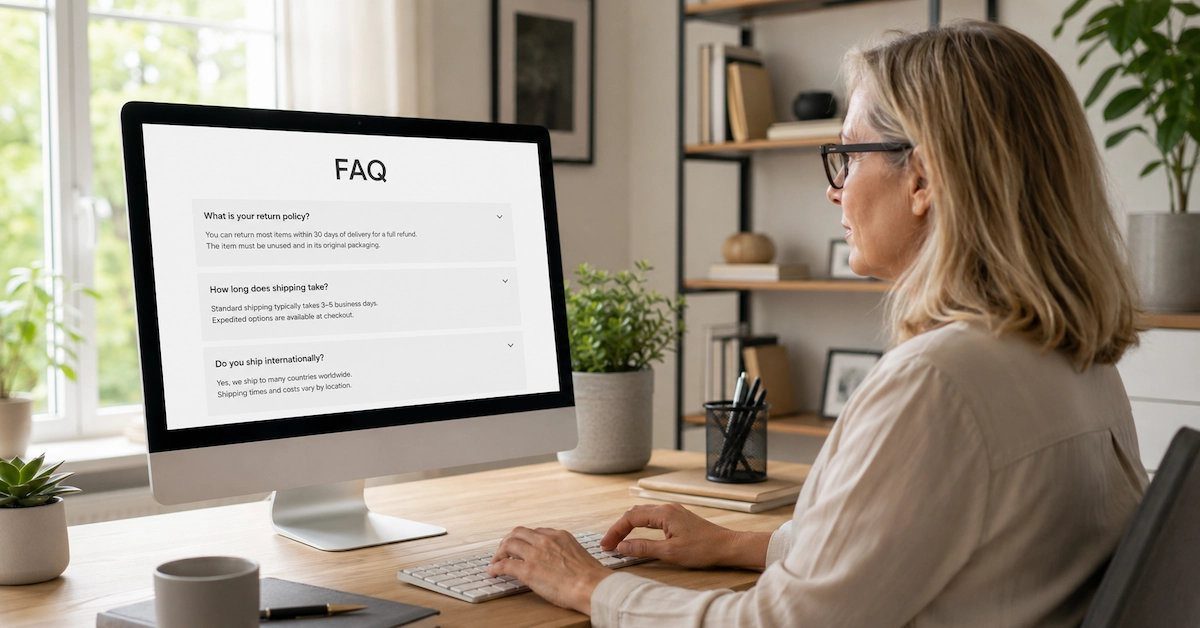
Frequently Asked Questions
What are the most important pages for a small business website?
For many small online businesses, the most important starting pages are Home, About, Contact, Privacy Policy, and a page explaining the main service, topic, or offer. Affiliate sites should also include clear affiliate disclosures.
How many pages does a beginner website need?
There is no fixed number. A useful beginner website may start with five to seven core pages and then grow as more content, services, or resources are added. Quality and clarity matter more than having a large number of pages.
Do I really need an About Us page?
An About Us page is strongly recommended because it helps visitors understand who is behind the website, what the business stands for, and why the content exists. It can be especially useful for a new business still building recognition and trust.
Does every website need a privacy policy page?
Not every website has the same legal obligations, but many sites collect visitor data through forms, analytics, cookies, email subscriptions, purchases, or other tools. Check the privacy rules that apply to your business, location, and audience.
Where should legal pages go on a website?
Legal and policy pages are commonly linked in the footer so they are available across the site without overcrowding the main navigation. Important disclosures should also appear close to relevant content where required.
Final Thoughts
Building a website does not mean building everything at once.
Start with the pages that help a new visitor understand who you are, what your website offers, how to contact you, and what they should do next.
Then add the pages that support trust, transparency, privacy, and the way your business operates.
A small site with clear business website pages is more useful than a large site full of pages that do not serve a purpose.
Focus on clarity first. Give each page one main job, make the site easy to move through, and improve it as your audience and business grow.
If you are still building the wider foundation, continue with the main guide: How to Start an Online Business for Beginners.
Continue Your Online Business Journey
Explore more resources to help you build and grow your online business.
Recommended Reading
New Here?
Start with the beginner roadmap and learn the fundamentals of affiliate marketing and online business.
Start HereReady For The Next Step?
Discover the complete system I use to build and grow an online business.
Join Profit Club
